 READY SET REMEMBER
Now on the App Store · Free · No ads
Get out the door with everything you need.
Pack-up routines made fun.
Ready Set Remember turns “grab your stuff before we go” into a game. Build a pixel character, give them a bag of things to remember, and tap each item as you pack it. A big celebration pops when everything’s in.
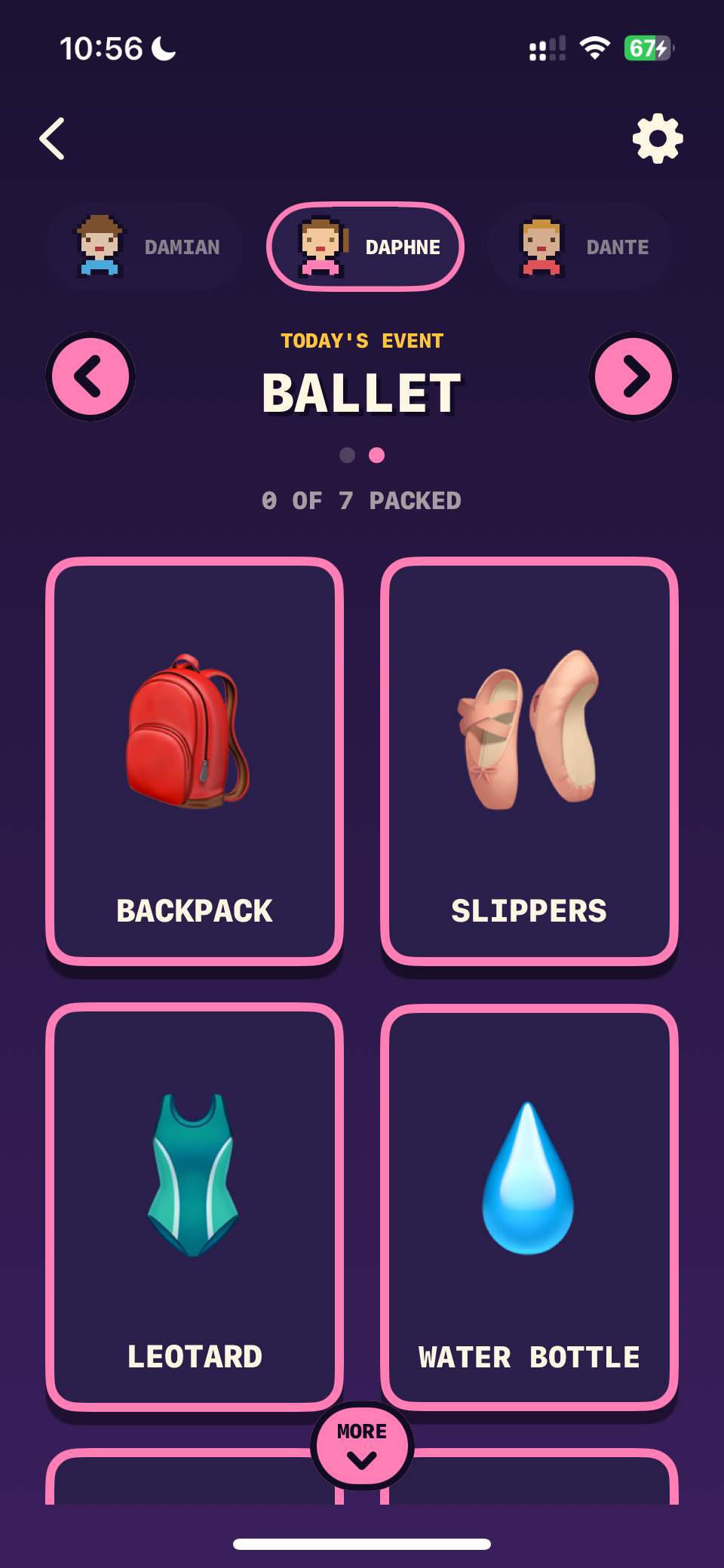 images/packing.png
The packing screen
Everything you need to get everyone out the door
Built for real mornings, real families, and more than one person at a time.
Make it yours
Build a character for everyone
Everyone in the family gets their own pixel avatar and their own bag of things to remember.
- Pick skin, hair, eyes and shirt colour
- Kids build their own, so the list feels like theirs rather than one more instruction
- Add one for everyone — each keeps their own things, routines and stars
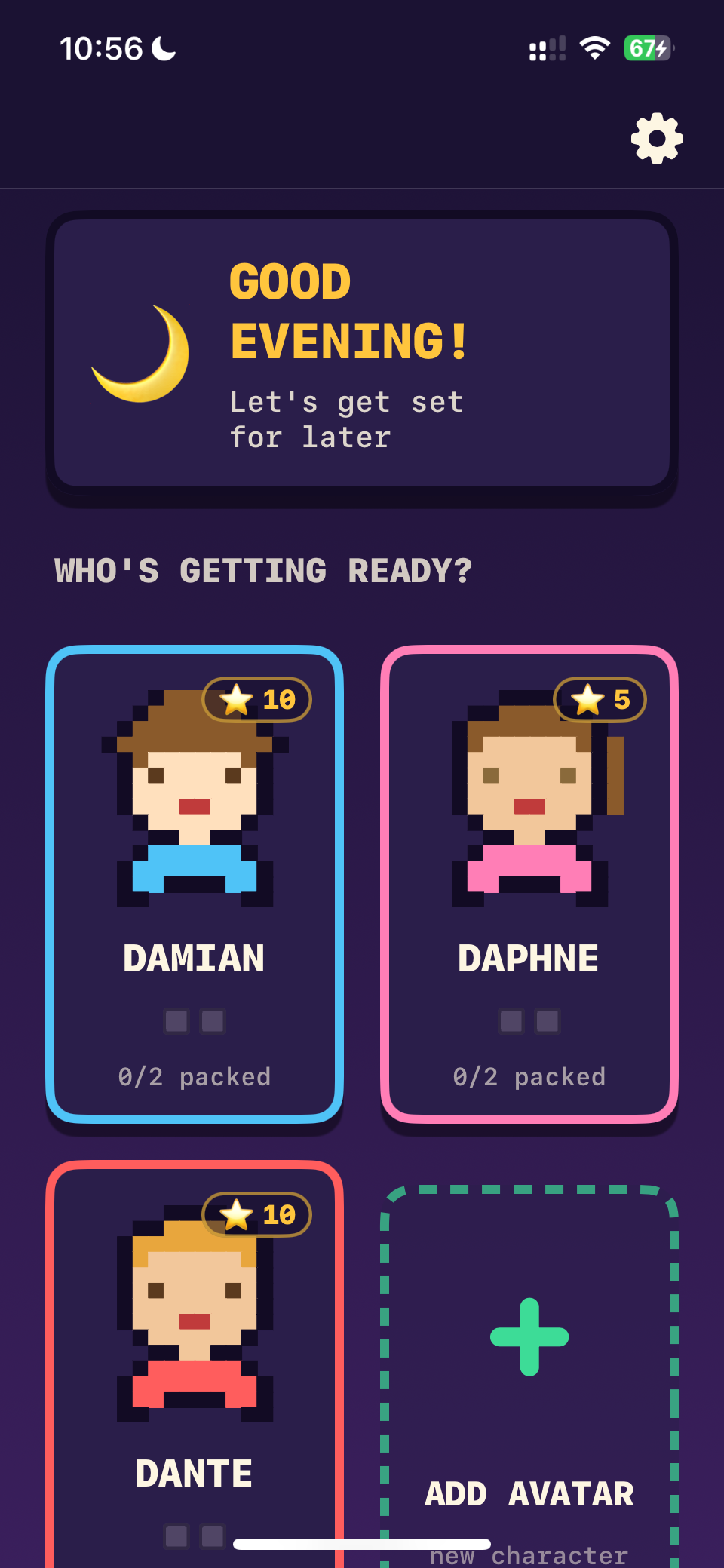 images/home.png
Home screen with avatars
The daily loop
Tap as you pack
Big, friendly tiles show exactly what to bring. Tap each one as you grab it — satisfying enough that kids actually want to do it.
- Clear progress: “2 of 4 packed”
- Sound and haptics on every tap
- Resets automatically each morning
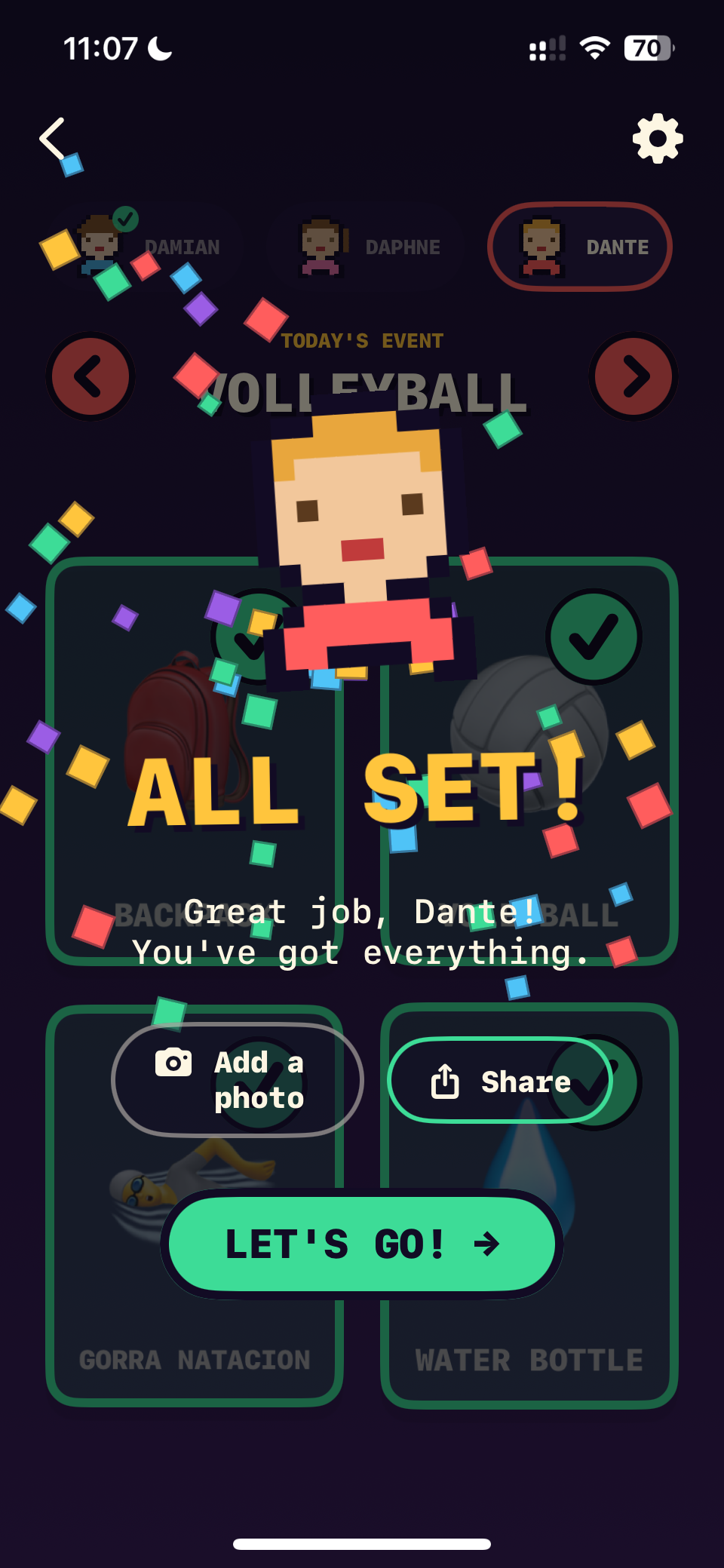 images/celebration.png
“ALL SET!” celebration
Motivation that sticks
Earn stars, spend stars
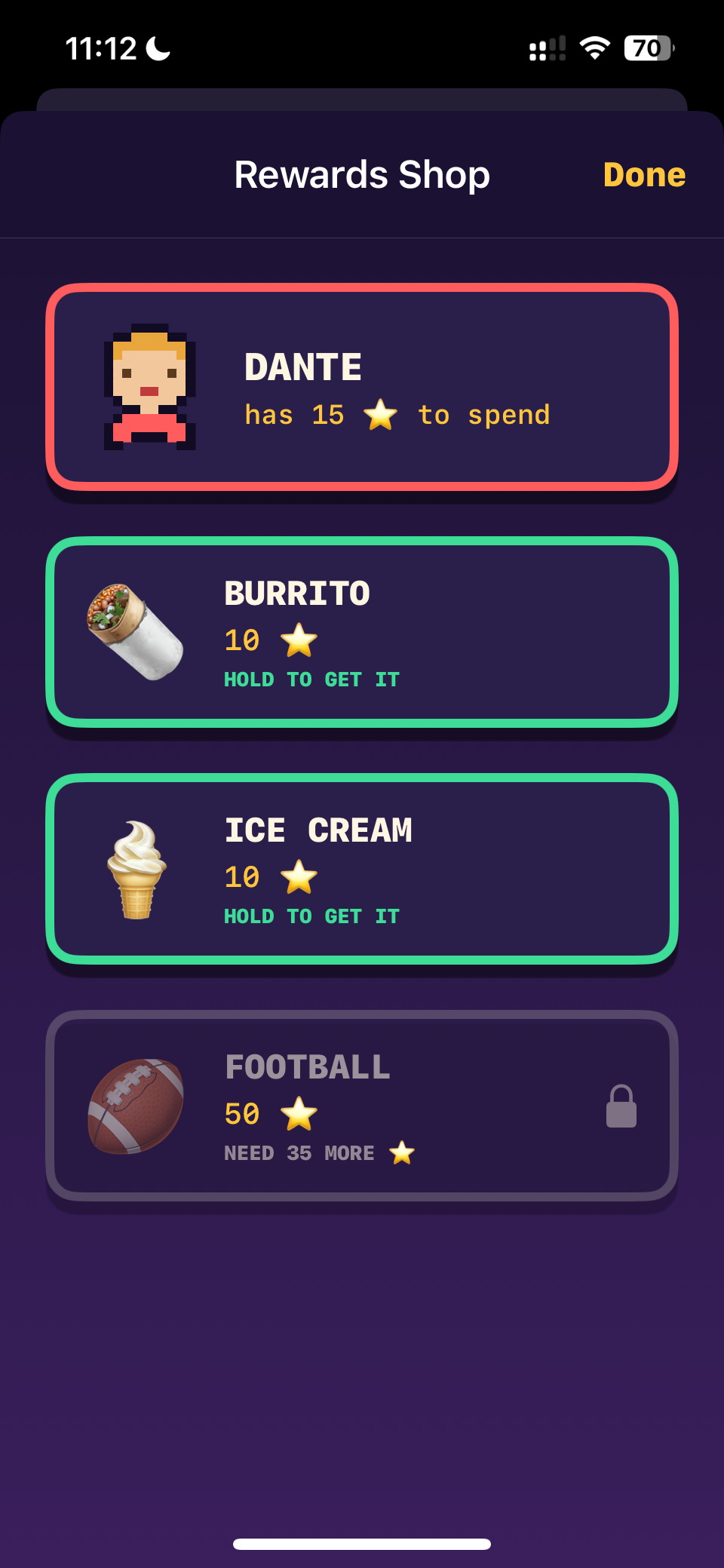
Finishing a routine earns stars. Grown-ups set up the prizes, and stars get spent in your own rewards shop.
- Create any reward with a name, emoji and price
- Press-and-hold to redeem, so nothing happens by accident
- Prizes stay locked until there are enough stars
 images/shop.png
Rewards shop
Real life, handled
Routines for swim day, ballet day, any day
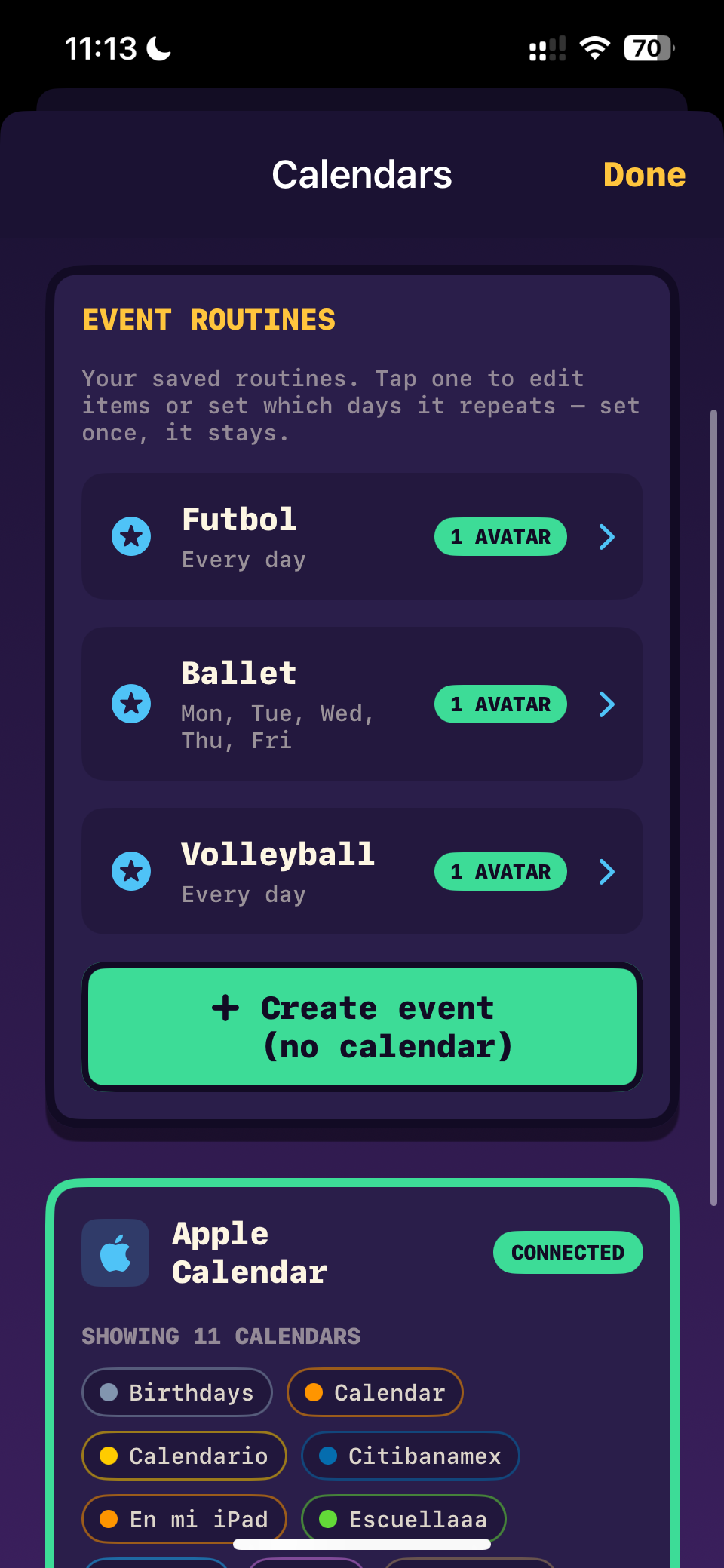
Set up extra routines beyond the everyday bag, and connect a calendar so the right list shows up on the right day.
- Name a routine and choose the days it runs
- Optional Apple Calendar link — cleats on soccer day
- Today’s routines come first; the rest stay ready to pack ahead
 images/routines.png
Calendar & routines
Across your family
On their tablet, and on both parents’ phones
Send a child’s routines to their own device so they’re reminded at the right time — even when you’re not in the room. Add a second grown-up and you both see the same thing, and can both change it.
- A child’s tablet shows only their own routines
- Either grown-up can add, edit and remove — no “main” phone
- Stars stay the same number on every device
- Scan a code to link, or send it as a message
 images/sharing.png
Linked devices
Know it happened
Told the moment they’re ready
When a child finishes a routine on their own device, both grown-ups hear about it — with the photo they took, if they took one. A calendar keeps every day they’ve done.
- An alert as it happens, photo included
- A calendar of everything finished, day by day
- Know when they claim a prize, so you can hand it over
 images/calendar.png
Calendar & alerts
Made to fit
Pick exactly what goes in each list
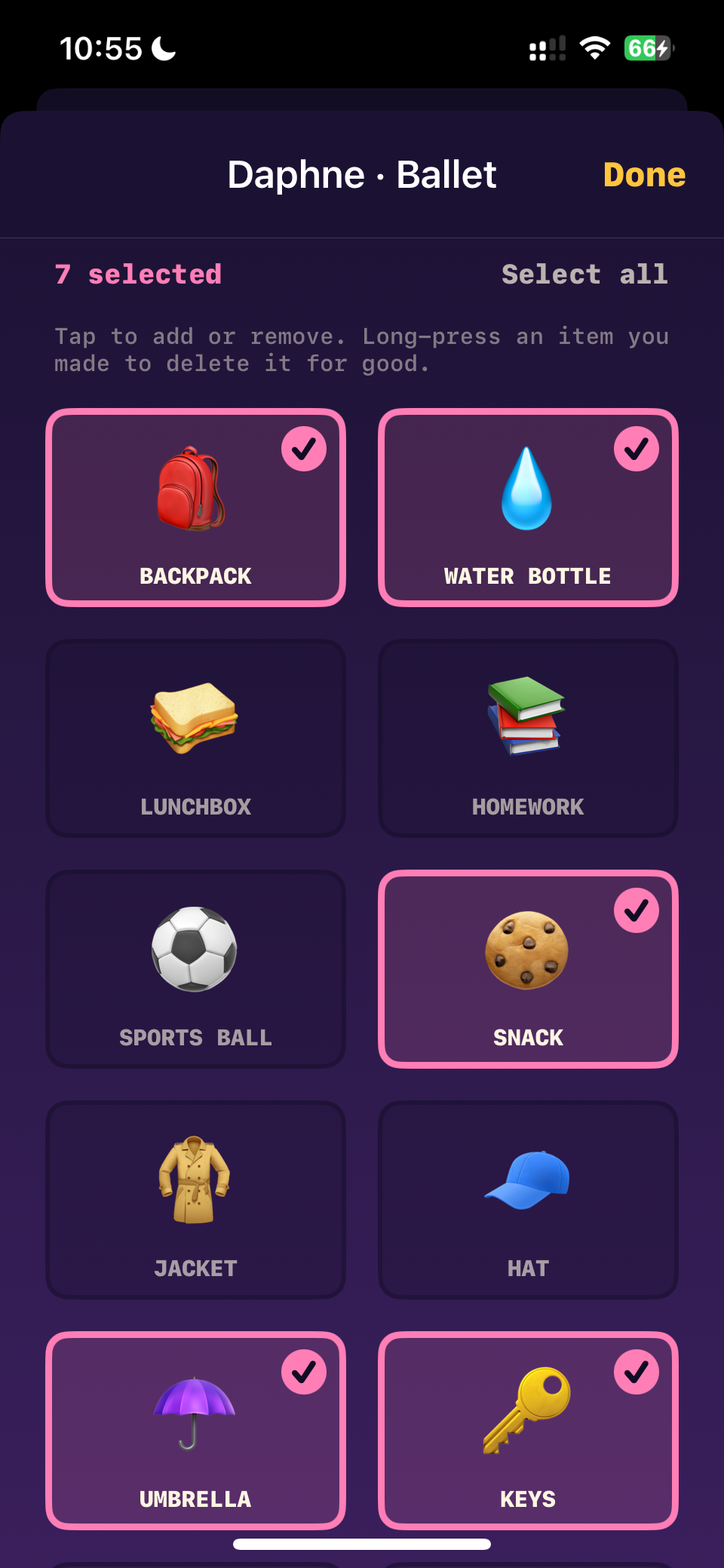
Ballet needs slippers and a leotard; swim day doesn’t. Every routine gets its own set of things, chosen from the library — or invented by you.
- Tap to add or remove, with a running count
- Make your own items with any name and emoji
- “Select all” when a list needs the lot
 images/packing2.png
Item picker
Questions parents ask
Is it really free?
Yes — the app is free to download and there are no ads. Everything described on this page is included.
Can it work as a visual schedule for a child with ADHD or autism?
Many families use it that way. Every item is a large picture tile rather than a line of text, so a child who isn’t reading yet can follow it independently. Each routine shows one clear list, the order stays the same every day, and finishing it gives immediate, predictable feedback.
Is this a chore chart?
Not quite. A chore chart tracks jobs around the house — tidying, dishes, homework. Ready Set Remember is about the things that have to leave the house with you: the backpack, the water bottle, the cleats on soccer day. It works as a reward chart too, since finishing a routine earns stars, but the problem it solves is the one at the front door.
Does it need an account or an internet connection?
There is no sign-up, ever, and packing works offline. On a single phone everything stays on that phone. If you link a child’s tablet or a second grown-up, your family’s routines travel through your own iCloud so those devices can see them — never through our servers, and we have no access to any of it. The other thing that needs a connection is the optional “Suggest” button, which you never have to use.
Can I use it for more than one child?
Yes, and it’s built for it. Add as many characters as you like and switch between them without leaving the screen — each one keeps their own lists, routines and stars.
How do the stars and rewards work?
Finishing a routine earns stars — you choose how many when you make it. You create the rewards yourself and price them in stars, so a lollipop might cost five and a trip to the pool a great deal more. Redeeming is protected by a grown-up PIN, and the calendar shows every routine finished and what it earned.
🔒
Your family’s data stays yours
No ads. No tracking. No analytics. No accounts. Routines, stars and photos are stored on your phone rather than harvested, and calendar access is optional and read-only — used only to put the right list on the right day.
When you link a device, your family’s routines and photos travel through your own iCloud so those devices can read them. They do not pass through our servers, and we cannot see them. The only thing that ever reaches us is the name of an activity, and only if you ask for a suggested packing list.